Design Page 2
Gain insights into the latest tech design trends, UX/UI best practices, and powerful design tools with FoxDooTech.

VectorWave Adds Auto Color Themes that build palettes from your brand kit and check contrast on the fly. One click updates artboards, gradients, and icons; presets sync across projects. Exports carry color tokens into Figma and Sketch, so handoff stays tidy and devs stop guessing hex values. Explore more: More Design briefs
I’m gonna keep this practical. A couple of Sundays ago, I was knee-deep in a photo backlog, coffee going cold, rain tapping the window. I tossed a throwaway shot into Nano Banana, asked for a desk-ready figurine look, and my partner did a double take—“Which studio made that?” That reaction—curiosity + a tiny bit of disbelief—pretty much sums up why I’ve stuck with it. What follows is a fully original, field-tested guide to nine things I do all the time—no fluff, no complicated graphs, just settings, prompts, and gotchas so you can make Nano Banana earn its keep. Where Nano Banana Shines in Real Workflows Nano Banana is strongest when you want believable edits that respect geometry, lighting, and...
PosterKit Adds Procedural Grids you can bend on the fly. Dial columns, rhythm, and gutters with sliders; lock keylines, then let AI suggest hierarchy for headlines, decks, and captions. Exports to Figma/InDesign with guides intact. Perfect for event flyers when five logos fight for space. Explore more: More Design briefs
Bend type without destroying curves. StudioX’s Vector Warp keeps paths editable, supports grid and freeform meshes, and previews in real time. Warp settings save as styles, export cleanly to SVG, and play nice with gradient maps. Fewer trips to raster land, more polish on posters and brand kits. Explore more: More Design briefs
Designers can now dial weight, width, and slant with live variable sliders in Affinity. Styles save to assets, exports preserve instances, and snapping feels smoother for type-heavy layouts. Bonus: cleaner SVG text output. It’s the kind of polish that trims revisions on brand kits and posters. Explore more: More Design briefs
Figma Sites Add Free Custom Domains so you can map a branded URL without a paid plan. DNS checks are baked in, password gates keep early drafts private, and link previews look cleaner. Great for quick client reviews when you’re not ready to spin up a full site. Explore more: More Design briefs
Sketch Variants 2.5 introduces state slots, conditional visibility, and token-aware spacing. I rebuilt a button set—hover/press/disabled snapped into one component, and handoff exported variables devs can actually use. No plug-ins, no hacks; swapping themes now takes minutes instead of a weekend. Explore more: More Design briefs
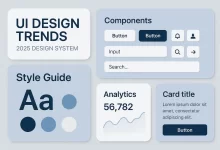
UI design trends 2025 are transforming how we interact with digital products. A couple of years ago, I was working late on a side project and realized my old dashboard design—cluttered menus, poor contrast, and slow animations—felt outdated. When I refactored it with new UI design patterns like adaptive dark mode, smoother motion, and clean typography, the difference was night and day. Users immediately commented that it felt “fresher” and “easier to use.” That moment convinced me: design trends matter not just for looks, but for usability, trust, and adoption. Why UI Design Trends 2025 Matter Design is never static. Just like frameworks and programming languages evolve, UI has its cycles. UI design trends 2025 represent where users’ expectations...
Inkscape 1.5 Live Corners finally arrives: round, chamfer, or inverse corners with numeric precision and per-node toggles. I rebuilt a toolbar in minutes—consistent radii, crisp exports, zero plugin drama. Bonus: token export for 4/6/8 px ramps so devs stop guessing your “soft” radius. Explore more: More Design briefs
Canva BrandGuard locks logos, palettes, and type scales at the workspace level, auto-flagging off-brand colors or squished marks. I tried to freestyle a campaign; it nudged spacing and swapped fonts to the approved set. Brand kits sync to exports so agencies stop fixing last-minute slides. Explore more: More Design briefs

 FoxDoo Technology
 FoxDoo Technology