
 FoxDoo Technology
Zapier vs Make vs n8n in 2026: Which Automation Platform Fits Your Team Best
A practical 2026 guide to selecting AI image generators for marketing teams by speed, brand consistency, and conversion workflow.
A practical 2026 guide to selecting AI image generators for marketing teams by speed, brand consistency, and conversion workflow.

A practical 2026 guide to selecting AI image generators for marketing teams by speed, brand consistency, and conversion workflow.

A practical 2026 coding workflow using ChatGPT, Claude, and Gemini by task type.

We tested top AI meeting note tools for transcript accuracy, action-item quality, integrations, and team workflow fit.

Your laptop just got a brain upgrade. NeuronCache 1.2 Speeds On-Device RAG builds a lightning-fast chunk index from local docs, adds a tiny quantized reranker to boost relevance, and trims VRAM use. File watchers keep answers fresh offline. Exports pinned citations so teams can double-check before sharing. Explore more: More AI briefs
Atlas Reasoner 2 Plans Multi-Step Tasks Locally turns fuzzy goals into step-by-step checklists across files, reminders, and reusable “recipes.” It runs fully on-device, blurs PII in summaries, and keeps a transparent action log. Export to Notes/Markdown, or trigger timers right from the plan—great for travel, reports, and admin chores. Explore more: More AI briefs
Point ScribeBeam Edge Extracts Tables Offline at a PDF or screenshot and it pulls clean tables, charts, and callouts—no cloud hop. It tags units, preserves column types, and drafts a bullet summary you can paste into docs. Exports CSV/Markdown, runs great on recent laptops, and respects airplane mode. Explore more: More AI briefs
HushPilot Protects On-Device Chat History encrypts every thread locally, builds a private vector index for search, and scrubs tokens before anything’s shared. Ephemeral sessions auto-purge after a timer, and a “redact mode” hides names in screenshots. Runs offline on modern laptops and phones—quietly powerful, zero cloud drama. Explore more: More AI briefs
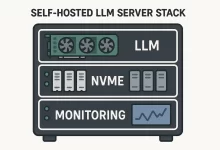
Self-hosted LLM projects feel glamorous on slide decks and downright messy in a closet at the back of an office. This guide is for the closet. I’m gonna give you the parts that break, the moves that actually help, and the gritty details teams forget until a pager goes off. I’ve stood in that closet—dust filter in one hand, clamp meter in the other—trying to shave 80 ms off a reply that must feel instant. A quick personal anecdote. Last winter I was helping a scrappy retail team bring a self-hosted LLM online for in‑store product Q&A. We had a friendly model, neat prompts, and a cute kiosk. Day one, lunch rush hit. The queue spiked, the GPU thermaled, the...
TrailMix 3 Runs Multimodal Agents Locally: drop YAML “recipes,” watch a folder, and it chains OCR, table extraction, and search over your PDFs, screenshots, and emails—no cloud. Calendar/Notes connectors sync offline, PII gets blurred, and you can share agents via QR. Snappy on M-series Macs and recent Snapdragons. Explore more: More AI briefs
ChatGPT vs Claude vs Gemini for Coding (2026): Which One Saves the Most Time?2026-02-24Best AI Meeting Note Takers in 2026: Real-World Test for Teams2026-02-23Best AI Image Generators for Marketing in 2026: What Actually Converts2026-02-24Zapier vs Make vs n8n in 2026: Which Automation Platform Fits Your Team Best2026-02-27 FoxDoo Technology