AI Page 2
Discover the latest AI technology, innovative tools, machine learning developments, and industry trends powered by FoxDooTech.

Edge AI server builds aren’t just “mini data centers.” They’re stubborn little race cars that live in closets, back rooms, or branch offices where the Wi‑Fi is moody and the power budget is a punchline. I’ve shipped, babysat, and occasionally resuscitated these boxes for clients who needed milliseconds, not marketing. What follows is a boots‑on‑the‑ground playbook—hardware picks, power math, cooling gotchas, deployment recipes—for making an edge AI server that answers fast and doesn’t melt when the afternoon sun hits the drywall. Quick anecdote: one rainy Friday I slid a brand‑new node into a 12U rack wedged behind a printer the size of a hatchback. We fired up a real‑time vision pipeline; everything looked good. Twenty minutes later? Thermal throttle city....
PromptPilot Tunes Small Models On-Device lets you fine-tune 1–3B LLMs from local docs. Drop in a folder, it builds a dataset, spins LoRA adapters, and warns on overfit. No cloud, no uploads. Exports GGUF/ONNX and a “quick test” sheet so teammates can sanity-check before rollout. Explore more: More AI briefs
Point it at messy dashboards and get instant Q&A, trend callouts, and outlier alerts—fully on-device. SignalLens Edge Answers Charts Offline auto-blurs PII, preserves table structure, and exports Markdown or CSV with chart snapshots. Feels snappy on M-series Macs and recent Snapdragon PCs; perfect for trains, planes, and spotty Wi-Fi. Explore more: More AI briefs
Point PrismEdge 2 at any screenshot and it translates text, menus, and tooltips entirely on-device. Auto language detect, glossary support, and layout-aware blocks keep context intact. PII is blurred by default. One tap copies the bilingual summary to clipboard or Markdown. Lag stays low on recent laptops. Explore more: More AI briefs
QuillSense Edge Summarizes Whiteboard Photos Offline: snap your messy brainstorm and get clean headings, bullet points, and MathML equations. It runs fully on-device, auto-blurs emails, and works in airplane mode. Export to Markdown/Notion or copy to clipboard. Latency feels brisk on M-series Macs and recent Snapdragon laptops. Explore more: More AI briefs
EchoGuard LLM Redacts Secrets Locally watches your clipboard, terminals, and logs for tokens, passwords, and keys. It mixes pattern rules with context scoring, then masks matches before anything leaves your machine. Works offline, exports sanitized snippets to bug reports, and keeps an audit trail so teams can tune sensitivity. Explore more: More AI briefs
Cortex Mini 1.1 Adds Offline Screen Understanding so you can snap a screenshot and get instant summaries, element labels, and step-by-step actions—no cloud, no leaks. It auto-blurs emails and IDs, then exports to Notes or Markdown. Latency feels snappy on modern laptops and mid-range phones, even underground. Explore more: More AI briefs
I’m gonna keep this practical. A couple of Sundays ago, I was knee-deep in a photo backlog, coffee going cold, rain tapping the window. I tossed a throwaway shot into Nano Banana, asked for a desk-ready figurine look, and my partner did a double take—“Which studio made that?” That reaction—curiosity + a tiny bit of disbelief—pretty much sums up why I’ve stuck with it. What follows is a fully original, field-tested guide to nine things I do all the time—no fluff, no complicated graphs, just settings, prompts, and gotchas so you can make Nano Banana earn its keep. Where Nano Banana Shines in Real Workflows Nano Banana is strongest when you want believable edits that respect geometry, lighting, and...
PixelPilot Drafts UI From Sketches turns whiteboard doodles into clickable wireframes with component suggestions. It runs on-device, exports to Figma or React, flags contrast issues, and auto-blurs emails. Perfect when the brainstorm ends and someone has to mock it up—fast, private, and good enough for first-pass user flows. Explore more: More AI briefs
Turn chaotic standups into clean briefs. AI Nova Edge records locally, segments speakers, flags decisions, and auto-redacts PII before exporting to Notes or Markdown. It even drafts action items and follow-ups from whiteboard snaps. Latency’s snappy on modern laptops and recent phones—great on flights, subways, or flaky Wi-Fi. Explore more: More AI briefs

 FoxDoo Technology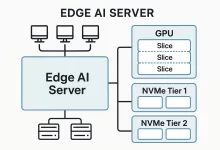
 FoxDoo Technology