Why Chrome MCP Automation Beats Playwright I still remember the first time I tried to onboard a junior dev onto a Playwright stack—three hours of package installs, headless crashes, and re-auth loops. We almost missed lunch. Chrome MCP Automation slices that chaos down to minutes by piggy-backing on your already-logged-in Chrome profile. No extra browsers, no re-entering 2FA codes, no “why is it blank?” Slack pings. It’s like handing your AI agent the Chrome window you’re staring at—then watching it drive. Zero Overhead Login & Cookies – MCP uses your live session. Plugin Delivery – It ships as a Chrome extension, so there’s no native GUI installer. HTTP API – Everything runs over a tiny HTTP server (default port 12306). No WebSocket...
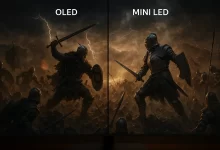
OLED vs Mini LED Monitor – 15 Definitive Jaw-Dropping Truths You Need Before You Buy Choosing an OLED vs Mini LED monitor in 2025 feels a little like deciding whether to buy a slick EV or a turbocharged gas guzzler—both scream performance, both cost a pretty penny, and both shine in radically different ways. After clocking hundreds of hours calibrating panels for clients and gaming way too late on my own rigs, I’ve distilled everything I know into fifteen bite-size truths that will keep you from dropping cash on the wrong glass. Quick anecdote: Last summer I lugged a 34-inch Mini LED beast into a mountain cabin for a remote coding retreat. The power flickered, the fireplace roared, and yet...
Why “Free AI Tools 2025” Matters I’m obsessed with shaving minutes (sometimes hours) off my dev and content stack. Last quarter I prepped a product launch in record time by chaining together a dozen Free AI Tools 2025 picks—everything from automated SQL dashboards to voice‑cloned release videos. This guide distills that experience plus the latest hands‑on testing of 45 zero‑cost utilities across twenty categories. You’ll see deep dives, practical caveats, and code snippets—not fluffy marketing. By the end you’ll have a plug‑and‑play blueprint for your own Free AI Tools 2025 stack. Free AI Tools 2025 is your zero‑cost powerhouse. Below I break down every single pick, sprinkle in a quick personal anecdote, and flag the best‑fit scenario so you know exactly when to grab each tool. AI Assistants (5) 1....
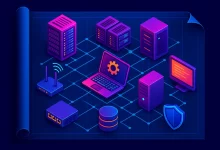
Why IT Operations Equipment Still Matters The cloud is cool, but physical IT Operations Equipment remains the bedrock of every SaaS, fintech, and gaming platform I’ve ever helped scale. When a Kubernetes node panics at 3 a.m., you’ll wish you knew exactly which BMC command powers it back on. That’s what this guide is gonna deliver—hands‑on, battle‑tested wisdom for forty‑nine hundred nights of uptime. Compute Tier – The Muscle 1. Physical Servers Classic, beefy x86 or ARM iron. Modern BIOSes speak Redfish, so you can curl -u admin:pass https://bmc.local/redfish/v1/Systems/1/Actions/ComputerSystem.Reset -d '{"ResetType":"ForceRestart"}' from your CI pipeline. Size RAM to avoid swap‑thrash when JVMs spike. 2. Blade Servers Tight on racks? Slide sixteen blades in ten U, attach a liquid‑cooling manifold, and drop...
RustDesk Remote Desktop saved my bacon last winter when our paid tool went into “commercial use detected” lockdown right as I needed to rescue a client’s frozen CAD workstation. One coffee‑fueled hour later I had my own RustDesk Remote Desktop server humming on a cheap VPS, latency under 30 ms, and a very happy customer. Today I’m gonna show you exactly how to do the same—plus eight more tricks to make your setup rock‑solid. 1. Why Choose RustDesk Remote Desktop The open‑source RustDesk Remote Desktop stack delivers end‑to‑end encryption, zero license fees, and total data ownership. You keep the keys, the logs, and the bandwidth. The codebase is split into lean Rust crates—libs/ clipboard for copy‑paste, libs/enigo for synthetic input, and...
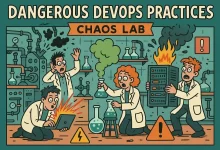
I was fifteen minutes into a Friday night pizza when PagerDuty screamed. Production latency spiked, cash-flow graphs nosedived, and leadership wanted answers yesterday. My only option? A handful of Dangerous DevOps Practices I’d sworn I’d never run in prod. Five sweaty minutes later the site was green and my phone stopped buzzing. That adrenaline-soaked save is why seasoned engineers secretly love the rule-breakers you’re about to meet. 1–5. Infrastructure Stunts 1. Live-Debugging in Production Nothing exemplifies Dangerous DevOps Practices like popping a remote debugger straight into prod containers. Use a traffic-foil sidecar, mirror 0.5 % of sessions, and iptables firewall your IP only. You’ll pinpoint that environment-only race condition fast. 2. 1 000-Node Batch Ops in One Shot Ansible fans...
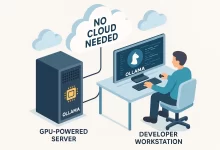
Look, I’m gonna be straight with you—I love the cloud, but the bills hit harder than west-coast gas prices. That’s why I dove head-first into Ollama Tutorial territory last winter. Picture me huddled in a Vancouver coffee shop, snow outside, fan noise inside, watching a 70 B model answer questions locally while my hotspot slept. Pure magic. Ready for that feeling? Let’s roll. 1. Why Ollama Beats Cloud-Only AI Before we geek out, a quick pulse check on why this framework matters: Latency ≈ 0 ms* (okay, more like 30 ms) — responses appear before your finger leaves the Enter key. No API-metered costs. Run infinite tokens without sweating your OpenAI bill. Privacy by default. Your data never exits your...
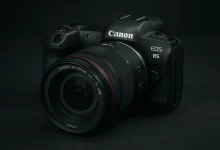
I’m sipping a lukewarm americano at 1 a.m. staring at my screen—deadline looming, model exhausted, studio time gone. That’s when Canon EOS R5 Midjourney saved my bacon. One prompt later and I had a jaw-dropping cover image the client adored. If you’ve ever craved that same “whoa” moment, buckle up; we’re diving deep into the exact camera, lens, and lighting tokens that turn Midjourney V7 into your private high-fashion set. 1. Why the EOS R5 Prompt Rules Fashion Renders The 45-megapixel sensor, deep-learning autofocus, and mirrorless clarity of the real EOS R5 translate to razor-sharp micro-detail, silky depth separation, and color-rich output in Midjourney. When you slap Canon EOS R5 into a prompt, you’re effectively telling the engine: “Give me...
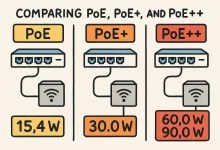
Introduction Picture this: I’m dangling off a ladder at 2 a.m., trying to finish a last-minute security-camera install. Power outlets? None. All I had was a single Cat 6 drop and a trusty PoE switch humming in the rack. One cable—data plus juice—and I was done. That “aha!” moment sold me on power over Ethernet for life. From 2003 to Today—The PoE Timeline The IEEE 802.3af standard officially blessed PoE back in 2003, giving us 15.4 W per port and kicking off two decades of innovation. Demand skyrocketed, so 802.3at (PoE+) doubled the output to 30 W. Fast-forward to the modern 802.3bt era—better known as PoE++—and we’re talking up to 100 W per port for Type 4 devices, enough to...
Why PCIe 7.0 Matters Right Now First time I saw a demo of PCIe 7.0 at Computex, my jaw flat-out dropped. The engineer pushed a terabyte file across a single slot in under two seconds—then calmly asked if I wanted coffee. I’d spent the previous weekend waiting on a sluggish RAID rebuild, so yeah, I almost cried. PCIe 7.0 isn’t just a speed tweak; it’s a paradigm shift. We’re talking 128 GT/s per lane raw, a mind-bending 512 GB/s full-duplex on x16, and (drumroll) industry-standard optical interconnect baked straight into the spec. If you build servers, crunch AI models, or just hate load screens, buckle up—because this bus is gonna fly. PCIe 7.0 at a Glance Generation Raw Rate (GT/s)...

 FoxDoo Technology
 FoxDoo Technology