
 FoxDoo Technology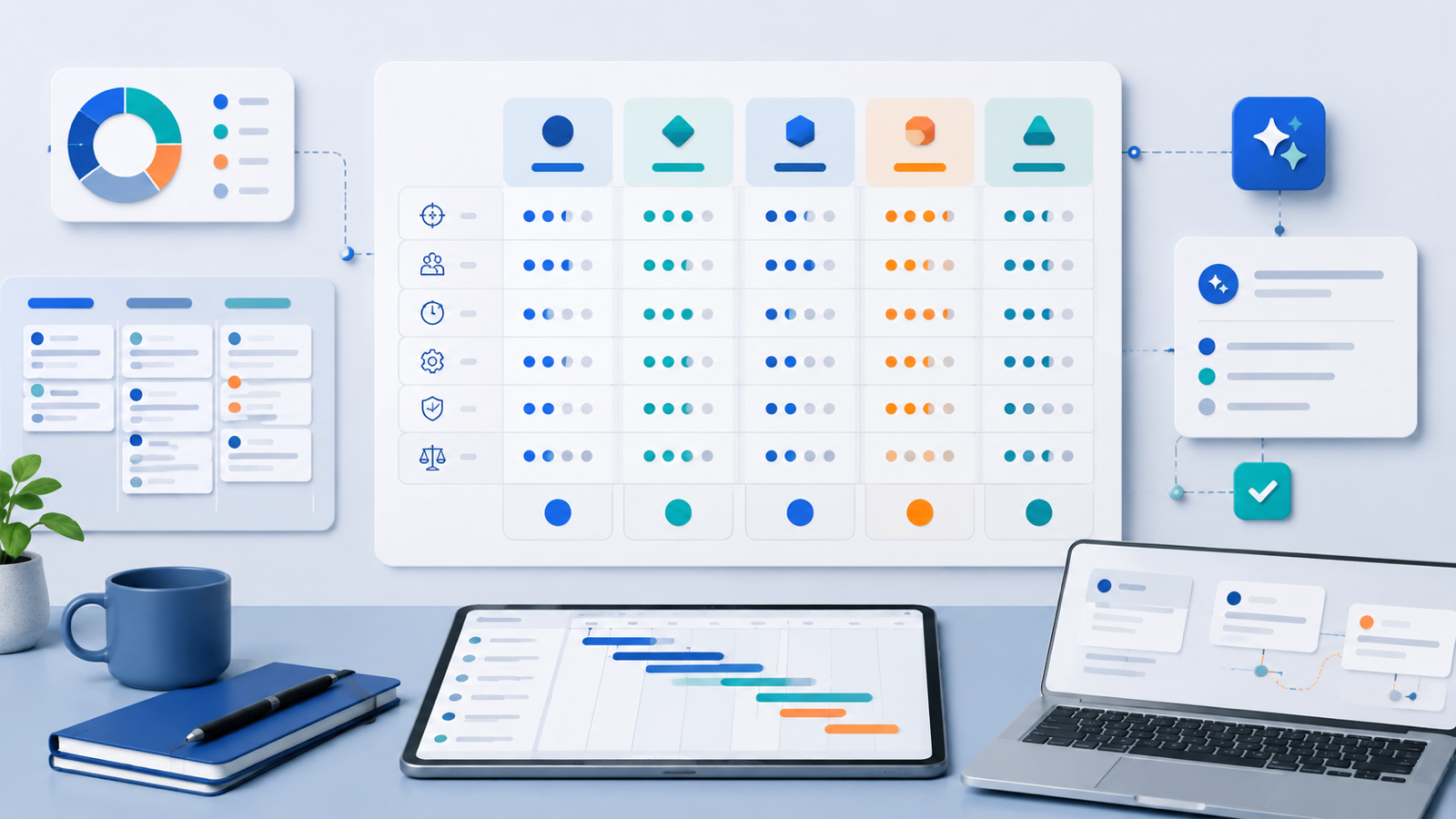
TL;DR
The best AI project management tool for a small team is the one that reduces coordination work without creating another admin layer. For most small teams, ClickUp is the strongest default because it combines tasks, docs, dashboards, automations, and AI-assisted summaries in one workspace. Notion is best for docs-first teams that manage projects through briefs, wikis, and lightweight databases. Asana is the safest fit for structured operations teams that need clear ownership and dependable project views. monday.com works well for agencies and service teams that want visual workflows and client-friendly reporting. Motion is useful when scheduling is the bottleneck, while Linear is better for technical/product teams that live in issues, cycles, and engineering workflows.
If your team is small, do not choose a project management platform based on the flashiest AI demo. Choose based on five practical questions:
- Can it turn messy inputs into clear tasks?
- Can it summarize project status without hiding risk?
- Does it integrate with your existing email, chat, calendar, docs, and automation stack?
- Can humans review AI-generated plans before they become commitments?
- Will the team actually keep using it after the first week?
Direct Answer: What Is the Best AI Project Management Tool for Small Teams in 2026?
For most small teams in 2026, ClickUp is the best default AI project management tool because it offers a broad project workspace with tasks, docs, multiple project views, dashboards, automations, and AI writing/summarization features in one system. It is especially useful when a team wants one place for client work, internal projects, documentation, weekly updates, and repeatable operating workflows.
That said, the best choice depends on how your team already works:
- Best all-around choice: ClickUp
- Best docs-first workspace: Notion
- Best structured operations tool: Asana
- Best visual workflow and client reporting option: monday.com
- Best AI scheduling assistant: Motion
- Best for technical/product teams: Linear
- Best lightweight kanban option: Trello with Atlassian Intelligence
- Best for mature service teams: Wrike
The strongest setup for many small teams is not “one AI tool for everything.” It is a clear project management system connected to a few focused automations: meeting notes to tasks, email follow-ups to task reminders, client intake to project setup, and weekly status summaries.
For a broader stack view, see FoxDoo Technology’s guide to the best AI tools for small teams in 2026. If your main bottleneck is workflow automation rather than project tracking, compare Zapier vs Make vs n8n. For inbox-driven teams, also review best AI email assistants for inbox zero in 2026.
What Small Teams Actually Need from AI Project Management
Small teams do not need AI that creates impressive charts nobody reads. They need help with the coordination work that steals time from delivery:
- Turning vague requests into scoped tasks.
- Summarizing meetings and extracting decisions.
- Drafting weekly client or stakeholder updates.
- Detecting overdue work before it becomes a crisis.
- Creating repeatable project templates for common services.
- Connecting project updates with email, chat, calendars, documents, and automations.
The right AI project management tool should reduce coordination drag. The wrong one creates more fields, dashboards, notifications, and half-trusted AI suggestions.
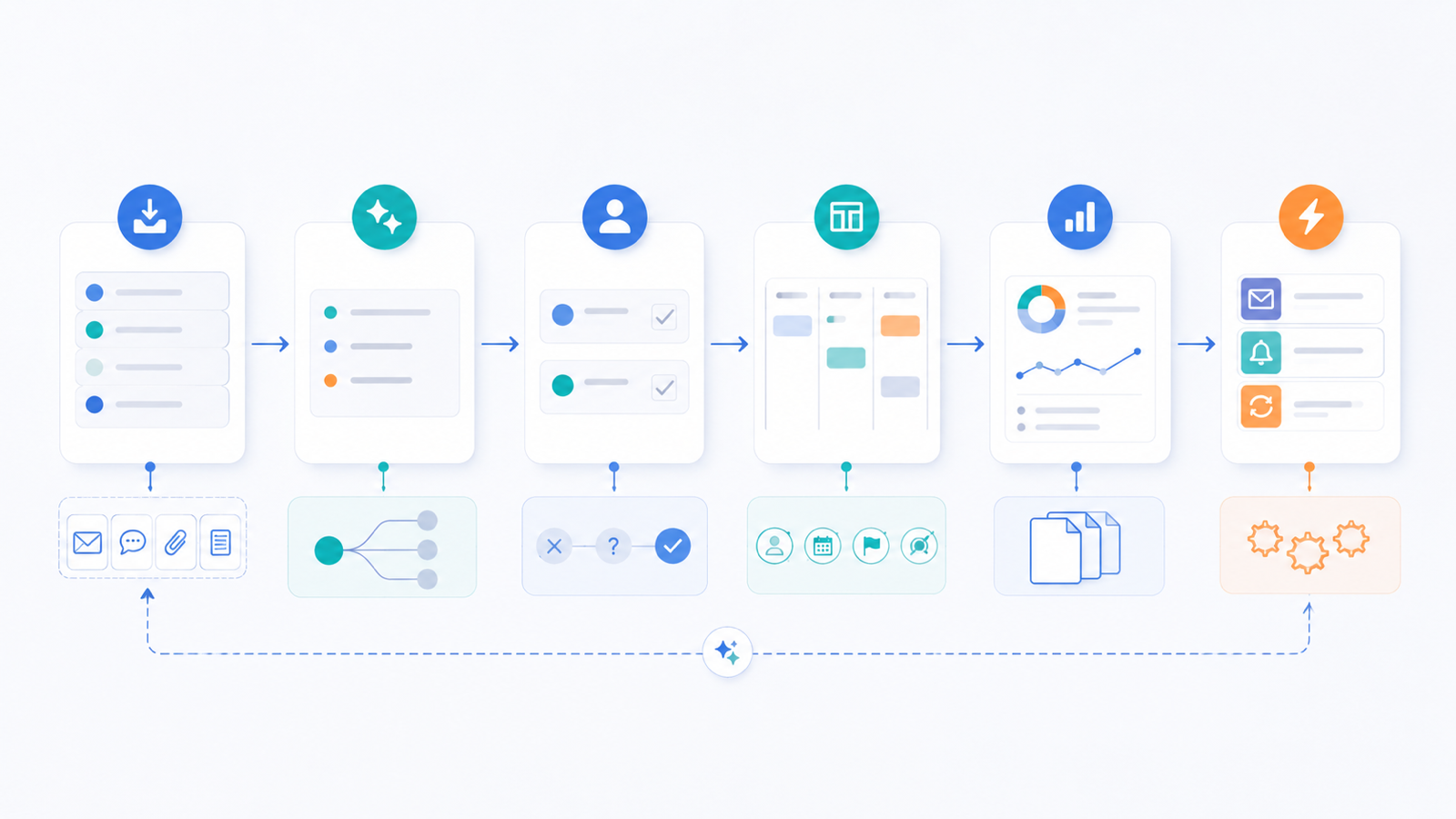
A practical small-team AI project management workflow has four layers:
- Capture: Intake requests from meetings, email, chat, forms, or tickets.
- Clarify: Convert messy notes into proposed tasks, owners, deadlines, risks, and dependencies.
- Review: A human confirms what should become real work.
- Report: The system summarizes progress, blockers, and next actions.
The review step matters. AI can draft a task plan, but your team should decide what is actually committed.
Comparison Criteria
This comparison focuses on practical use for small teams, agencies, and technical operators. The ranking is not based only on feature count. It weighs daily usability, AI usefulness, implementation effort, automation potential, and operational risk.
| Tool | Best fit | AI strengths | Watch-outs | Best small-team use case |
|---|---|---|---|---|
| ClickUp | Teams wanting one workspace | Task summaries, writing, docs, project context, automations | Can become complex if overconfigured | Agency or ops team centralizing projects, docs, and reports |
| Notion | Docs-first teams | Knowledge-base Q&A, summaries, content planning, database support | Project management can feel lightweight for complex delivery | Small team running projects from docs, SOPs, and planning databases |
| Asana | Structured operations teams | Project summaries, status updates, goal alignment | Less flexible for teams that prefer custom databases | Teams that need clear ownership, timelines, and accountability |
| monday.com | Visual workflow teams | Board assistance, update summaries, workflow support | Pricing and setup can expand quickly | Agencies and service teams tracking client projects visually |
| Motion | Calendar-driven teams | AI scheduling and task prioritization | Not a full delivery operating system | Founder-led teams balancing tasks and calendars |
| Linear | Product and engineering teams | Issue workflows, product planning, technical speed | Not ideal for non-technical client operations | Developers and product teams managing bugs, features, and cycles |
| Trello | Lightweight kanban teams | Simple task support through Atlassian AI ecosystem | Limited for complex reporting | Small teams that want simple boards, not a heavy PM system |
| Wrike | Mature service teams | Work intelligence, reporting, resource visibility | Heavier implementation | Operations teams with repeatable delivery and reporting needs |
1. ClickUp: Best All-Around AI Project Management Tool for Small Teams
ClickUp is the strongest default option for small teams that want one operational workspace. It combines tasks, docs, lists, boards, calendars, dashboards, forms, automations, and AI assistance. That breadth is useful when your team is tired of splitting work across separate documents, spreadsheets, status reports, and task boards.
ClickUp’s AI features are most useful in practical delivery situations: summarizing long task threads, drafting project updates, turning notes into task outlines, improving internal documentation, and helping teams create repeatable processes. For agencies and operators, ClickUp can become the central place where client requests, internal tasks, SOPs, and weekly reporting connect.
Where ClickUp Works Well
ClickUp is especially useful when a team needs:
- Multiple task views: list, board, calendar, timeline, and dashboard.
- Docs connected to tasks and projects.
- AI-generated summaries for long tasks or project updates.
- Reusable templates for recurring client work.
- Automations for assignment, status changes, reminders, and intake.
- A single workspace for operations, delivery, and documentation.
Watch-Outs
ClickUp’s strength is also its risk. It can be overconfigured. Small teams should avoid building a giant internal operating system before they have consistent project habits.
Start with one or two spaces, a small set of statuses, and a weekly review workflow. Add dashboards and automations only after the team is actually using the core system.
Best Use Case
ClickUp is best for a small agency, IT service provider, operations team, or founder-led business that wants one central project management system with AI support and automation potential.
2. Notion: Best Docs-First AI Project Workspace
Notion is not always a traditional project management tool, but it is excellent for teams that run work from documents, wikis, planning pages, and lightweight databases. Notion AI is useful for summarizing research, drafting project briefs, turning notes into structured plans, and answering questions from internal knowledge bases.
For small teams, Notion works best when project management is closely tied to documentation. Examples include content calendars, SOP libraries, client onboarding pages, product specs, research hubs, and internal playbooks.
Where Notion Works Well
Notion is strong for:
- Project briefs and planning docs.
- Internal wikis and SOPs.
- Lightweight task databases.
- Content and campaign planning.
- AI-assisted summaries and rewrites.
- Knowledge-base search and Q&A.
Watch-Outs
Notion can feel too open-ended. Without clear templates, teams may create messy pages and inconsistent databases. It also may not be the best choice for complex timeline management, workload planning, or strict operational reporting.
Best Use Case
Notion is best for a small team that thinks in docs first and tasks second. It is a strong choice for content teams, consultants, creators, and agencies that need a flexible planning and knowledge workspace.
3. Asana: Best for Structured Operations and Accountability
Asana is a strong fit for teams that value structure, ownership, and clear project views. It works well when a team needs reliable task assignment, deadlines, dependencies, sections, timelines, and status updates.
Asana’s AI features are useful for summarizing projects, drafting status updates, and helping teams understand what needs attention. The platform is less about building a custom workspace and more about helping teams manage work clearly.
Where Asana Works Well
Asana is useful for:
- Cross-functional project planning.
- Clear owner and deadline tracking.
- Timeline and dependency management.
- Recurring status updates.
- Operations workflows with repeatable steps.
- Teams that need less customization and more discipline.
Watch-Outs
Asana can feel less flexible than Notion or ClickUp if your team wants deeply customized databases or docs. It is also important to avoid turning every small note into a task. Use AI summaries to clarify work, not to create unnecessary assignments.
Best Use Case
Asana is best for a small operations team, marketing team, or service business that needs predictable project execution and stakeholder updates.
4. monday.com: Best Visual Workflow and Client Reporting Option
monday.com is a strong option for teams that want visual boards, pipeline-style workflows, and client-friendly reporting. It is especially useful when work moves through repeatable stages: intake, scoping, production, review, approval, delivery, and follow-up.
Its AI and automation features can support board updates, workflow suggestions, summarization, and task creation. For agencies, monday.com can be effective because it makes project status visible without forcing everyone into a deeply technical system.
Where monday.com Works Well
monday.com is useful for:
- Visual client project boards.
- Repeatable service workflows.
- Project intake and assignment.
- Reporting dashboards.
- Cross-team status visibility.
- Teams that like board-based operations.
Watch-Outs
Costs and complexity can grow as you add boards, automations, integrations, and seats. monday.com is best when your team intentionally designs a few standard workflows rather than creating a new board for every problem.
Best Use Case
monday.com is best for agencies, studios, and service teams that need visual project tracking and client-friendly reporting.
5. Motion: Best for AI Scheduling and Personal Workload Control
Motion is different from the other tools in this list. It is less of a full project management platform and more of an AI scheduling and task prioritization system. It helps plan work around calendars, deadlines, and available time.
For founders, consultants, and very small teams, that can be valuable. Many small-team project failures are not caused by missing tasks. They are caused by unrealistic schedules. Motion helps connect task planning with actual calendar capacity.
Where Motion Works Well
Motion is useful for:
- Calendar-aware task scheduling.
- Prioritizing work based on deadlines.
- Protecting focus time.
- Managing personal workload.
- Very small teams that do not need a heavy PM system.
Watch-Outs
Motion is not a complete replacement for a structured project workspace if you need client reporting, detailed task hierarchies, documentation, or complex delivery processes.
Best Use Case
Motion is best for a founder-led team or small consultancy where the biggest bottleneck is scheduling, prioritization, and focus.
6. Linear: Best for Technical and Product Teams
Linear is a favorite among software and product teams because it is fast, focused, and designed around issues, cycles, projects, and product delivery. It is not built to be a generic agency project management tool, but for technical teams it can be more effective than broader PM platforms.
AI support in technical project management is most useful when it helps summarize issues, refine bug reports, connect context, and reduce planning friction. Linear’s strength is that it keeps product and engineering work clean and fast.
Where Linear Works Well
Linear is useful for:
- Software development teams.
- Product planning.
- Bug and feature tracking.
- Engineering cycles.
- Fast issue triage.
- Technical teams that dislike bloated PM tools.
Watch-Outs
Linear is not ideal for non-technical workflows such as client onboarding, content production, or service delivery unless the team is comfortable adapting issue-based workflows.
Best Use Case
Linear is best for developers, technical founders, and product teams managing software work.
7. Trello: Best Lightweight Kanban Option
Trello remains useful for small teams that want simple boards without a heavy project management system. With Atlassian’s AI ecosystem expanding across its products, Trello can support lightweight AI-assisted planning and summarization while keeping the interface simple.
Trello is not the most advanced AI project management tool, but that may be the point. A small team that only needs a clean kanban board may get more value from Trello than from a larger platform that nobody maintains.
Where Trello Works Well
Trello is useful for:
- Simple kanban boards.
- Editorial calendars.
- Lightweight task tracking.
- Personal and small-team planning.
- Teams that want low setup friction.
Watch-Outs
Trello can become limiting when you need advanced reporting, workload management, dependencies, or structured client delivery.
Best Use Case
Trello is best for a small team that values simplicity over advanced PM architecture.
8. Wrike: Best for Mature Service and Operations Teams
Wrike is a more mature work management platform for teams that need visibility, reporting, and structured delivery at scale. It may be more than a very small team needs, but it can be a strong fit for service teams that already have repeatable processes and need stronger oversight.
Wrike’s AI and work-intelligence features can support summaries, reporting, and operational visibility. The main value is not just AI; it is the combination of structure, resource visibility, and project governance.
Where Wrike Works Well
Wrike is useful for:
- Service delivery teams.
- Operations and project governance.
- Workload and resource visibility.
- Repeatable production workflows.
- Teams that need more reporting than a simple board provides.
Watch-Outs
Wrike can feel heavy for a very small team. It is best when the team already knows what workflows it wants to manage.
Best Use Case
Wrike is best for mature service teams that need structure, reporting, and operational control.
Example AI Project Management Workflow for a Small Agency
Here is a practical workflow that works with tools such as ClickUp, Asana, monday.com, or Notion plus automation tools.
Step 1: Capture the Request
A client request arrives through email, a form, or a meeting note. The system creates an intake record with the client name, request type, deadline, source, and context.
Step 2: Draft a Scope
AI helps draft a short scope summary:
- What is being requested?
- What deliverables are implied?
- What questions are unresolved?
- What risks or dependencies exist?
Step 3: Create Candidate Tasks
AI proposes a task breakdown. These tasks should stay in a review state, not immediately become assigned commitments.
Step 4: Human Review
A project owner reviews the proposed tasks, deletes unnecessary items, adjusts deadlines, and confirms ownership.
Step 5: Track and Report
The PM tool tracks work. At the end of the week, AI drafts a project status update based on completed tasks, blocked items, and next actions.
This workflow solves a real small-team problem: turning messy communication into controlled delivery.
How to Choose the Right Tool
Use this decision path:
- Choose ClickUp if you want one broad workspace for tasks, docs, automations, and reporting.
- Choose Notion if your team runs from docs, wikis, and flexible planning databases.
- Choose Asana if you need clear ownership, timelines, and structured project execution.
- Choose monday.com if visual workflow boards and client reporting matter most.
- Choose Motion if your biggest issue is scheduling and personal workload planning.
- Choose Linear if you are a software or product team.
- Choose Trello if you want the simplest possible board.
- Choose Wrike if your service team needs mature reporting and governance.
If you are still unsure, start with the tool that matches your current behavior. Do not force a docs-first team into a rigid PM tool. Do not force an operations team into a blank-page workspace. The best AI project management tool is the one your team will actually keep updated.
AI Project Management Risks to Manage
AI project management tools can save time, but they also create new risks.
Risk 1: AI Creates Too Many Tasks
AI can turn every sentence into an action item. That creates noise. Keep a human review step before tasks are assigned.
Risk 2: Summaries Hide Important Detail
A status summary may sound confident while missing a blocker. Use AI summaries as drafts, not final truth.
Risk 3: Private Client Data Enters the Wrong Tool
Small teams should define what information can be used in AI features. Avoid pasting sensitive client, financial, legal, medical, or personal information into tools without reviewing data policies and client agreements.
Risk 4: Automation Replaces Conversation
Project management automation should reduce admin work, not eliminate human judgment. If a workflow affects a client, budget, deadline, contract, or production commitment, keep a person in the loop.
Risk 5: The System Becomes Too Complex
If the setup requires a long training session before anyone can create a task, it is too complex. Start simple.
5-Step Rollout Checklist
Use this checklist before rolling out an AI project management tool across a small team.
- Pick one workflow first. Start with client intake, meeting notes to tasks, weekly status updates, or recurring project templates.
- Define the human review point. Decide which AI outputs can become tasks automatically and which need approval.
- Create a simple template. Use one project template with statuses, owners, due dates, and a weekly review section.
- Connect only essential integrations. Start with calendar, email, chat, and one automation platform if needed.
- Review after two weeks. Measure whether the tool reduced coordination time or just created more notifications.
Recommended Starting Stack
For most small teams, a practical stack looks like this:
- Project system: ClickUp, Asana, monday.com, Notion, Linear, Trello, or Wrike.
- Automation layer: Zapier, Make, or n8n for connecting forms, email, chat, and task systems.
- Meeting notes: An AI meeting note tool or transcript workflow with human review.
- Documentation: Notion, ClickUp Docs, Google Docs, or your existing knowledge base.
- Weekly reporting: AI-assisted status summaries reviewed by a project owner.
The key is to keep the system boring enough to trust. AI should help the team clarify and communicate work, not create a chaotic stream of automatically generated tasks.
Related Guides
- Broader stack guide: Best AI Tools for Small Teams in 2026
- Email workflow guide: Best AI Email Assistants for Inbox Zero in 2026
- Automation platform comparison: Zapier vs Make vs n8n in 2026
- Technical operator bridge: Claude Code Local LLM Guide
- Category archive: Automation
- Category archive: AI Tools
- About page trust link: About FoxDoo Technology
CTA
If your team is choosing an AI project management tool, start with one workflow instead of a full platform migration. Pick a repeated process, add an AI-assisted draft step, keep human review in the loop, and measure whether weekly delivery gets clearer.
FoxDoo Technology publishes practical AI tool reviews and automation workflow guides for small teams, agencies, and technical operators. Powered by FoxDoo IT Solutions, the site focuses on practical implementation rather than hype.
2026 Update: How to Connect AI Project Management Tools to Real Workflows
The strongest AI project management setup in 2026 is not just a smarter task list. It is a reviewed workflow that turns meeting notes, customer requests, support tickets, and weekly status updates into visible work without letting automation create confusion.
For a small team, use this simple operating model:
- Capture: collect meeting transcripts, customer requests, Slack decisions, and project updates in one predictable place.
- Summarize: let the AI extract decisions, blockers, owners, due dates, and unresolved questions.
- Review: require a project owner to approve new tasks before they appear on the live board.
- Route: send approved tasks to the right project, sprint, client workspace, or status report.
- Measure: track reviewed action items, overdue tasks, update quality, and the percentage of projects with a current summary.
If your team is also building broader automation systems, pair this guide with the platform comparison in Zapier vs Make vs n8n in 2026. If you are still choosing the wider software stack, start with best AI tools for small teams.
Project Management Automation Guardrails
| Workflow | AI can draft | Human should approve | Metric to watch |
|---|---|---|---|
| Meeting notes to tasks | Decisions, owners, deadlines, blockers | Final task creation and due dates | Reviewed action items within 24 hours |
| Weekly project status | Summary, risks, next steps | Client-facing or executive version | Time to prepare status reports |
| Support-to-project handoff | Issue summary and likely owner | Priority, scope, and customer promise | Unassigned escalation count |
| Backlog cleanup | Duplicate detection and grouping | Deletion, merge, or reprioritization | Stale task percentage |
Quick Rollout Checklist
- Pick one workflow first, usually meeting notes to tasks or weekly reporting.
- Define what the AI is allowed to create, suggest, or summarize.
- Keep one accountable owner for prompt quality and exceptions.
- Use automation only after the manual review path works for two weeks.
- Review AI-created tasks weekly for unclear owners, invented deadlines, and duplicate work.
FAQ
What is the best AI project management tool for small teams?
ClickUp is the best all-around AI project management tool for many small teams because it combines tasks, docs, dashboards, automations, and AI assistance in one workspace. Notion is better for docs-first teams, Asana is better for structured operations, and Linear is better for technical product teams.
Are AI project management tools worth it for small teams?
Yes, if they reduce coordination work. AI project management tools are most useful for summarizing updates, drafting project plans, extracting action items, creating templates, and preparing weekly status reports. They are not worth it if they create more tasks and notifications than the team can manage.
Should AI automatically create project tasks?
Usually no. A safer workflow is to let AI create candidate tasks, then have a human review and approve them before they become real commitments. This prevents false assumptions, duplicate work, and unrealistic deadlines.
Is ClickUp better than Notion for project management?
ClickUp is usually better for structured project management, task tracking, dashboards, and automations. Notion is better for flexible documentation, wikis, research, and planning databases. Some teams use Notion for knowledge management and ClickUp or Asana for execution.
What is the best AI project management tool for agencies?
ClickUp and monday.com are strong choices for agencies. ClickUp is better if the agency wants tasks, docs, automations, and reporting in one workspace. monday.com is better if the agency prefers visual workflows, client project boards, and status dashboards.
What is the best AI project management tool for developers?
Linear is often the best fit for software teams because it is designed for issues, cycles, product planning, and fast engineering workflows. Technical teams may also use GitHub, Jira, or automation tools alongside Linear depending on their development stack.
How should a small team roll out AI project management?
Start with one repeatable workflow, such as meeting notes to tasks or weekly status updates. Define the review step, create a simple project template, connect only essential integrations, and review after two weeks to see whether the workflow improved delivery.
What data should small teams avoid putting into AI project management tools?
Avoid sensitive client data, private financial details, legal information, medical information, credentials, and confidential business material unless the tool’s data policy and your client agreements allow it. Use AI features with a clear internal data policy.