 FoxDoo Technology
TL;DR
The best AI tools for small teams in 2026 are not just the most powerful models. The best stack is the one your team can actually trust, govern, and use inside daily workflows. For most small teams, start with one general AI assistant, one meeting notes tool, one automation platform, one knowledge/workspace tool, and one role-specific tool for support, sales, marketing, coding, or operations.
A practical starter stack looks like this:
- General assistant: ChatGPT Team, Claude Team, Gemini for Google Workspace, or Microsoft 365 Copilot depending on where your team already works.
- Meetings: Fireflies, Otter, Fathom, or your built-in suite assistant for summaries and action items.
- Automation: Zapier, Make, n8n, or Power Automate for repeatable handoffs between apps.
- Knowledge and docs: Notion AI, Google Workspace Gemini, Microsoft Copilot, or another tool tied to your real documents.
- Customer-facing work: Intercom, Zendesk AI, HubSpot AI, or similar tools depending on your support and sales stack.
- Technical work: Cursor, GitHub Copilot, ChatGPT, Claude, or Gemini for code review, documentation, and workflow scaffolding.
The safest path is to build a small, measurable AI stack around three workflows first: inbox and communication, meetings and follow-up, and one high-friction operational process.
Choose AI Tools by Workflow, Not by Hype
A small team does not need every AI app that launches this year. The better approach is to choose tools around workflows that already happen every week: planning projects, answering email, summarizing meetings, routing support questions, drafting client updates, and reporting on performance.
Before adding a new subscription, ask three questions:
- What workflow will this improve? Examples include project intake, meeting notes, inbox triage, support tagging, sales follow-up, content planning, or KPI reporting.
- Where does the work already live? The best AI tool should connect to the team’s existing workspace, CRM, project board, inbox, documentation system, or automation platform.
- Who reviews the output? For client-facing or operationally sensitive work, AI should draft, classify, summarize, or suggest; a human should still approve the final action.
For most small teams, a practical first stack is simple: one general assistant, one workspace or knowledge tool, one meeting/email assistant, and one automation platform. Add specialized tools only when they improve a repeatable workflow without creating another disconnected place to manage work.
Direct answer: what are the best AI tools for small teams in 2026?
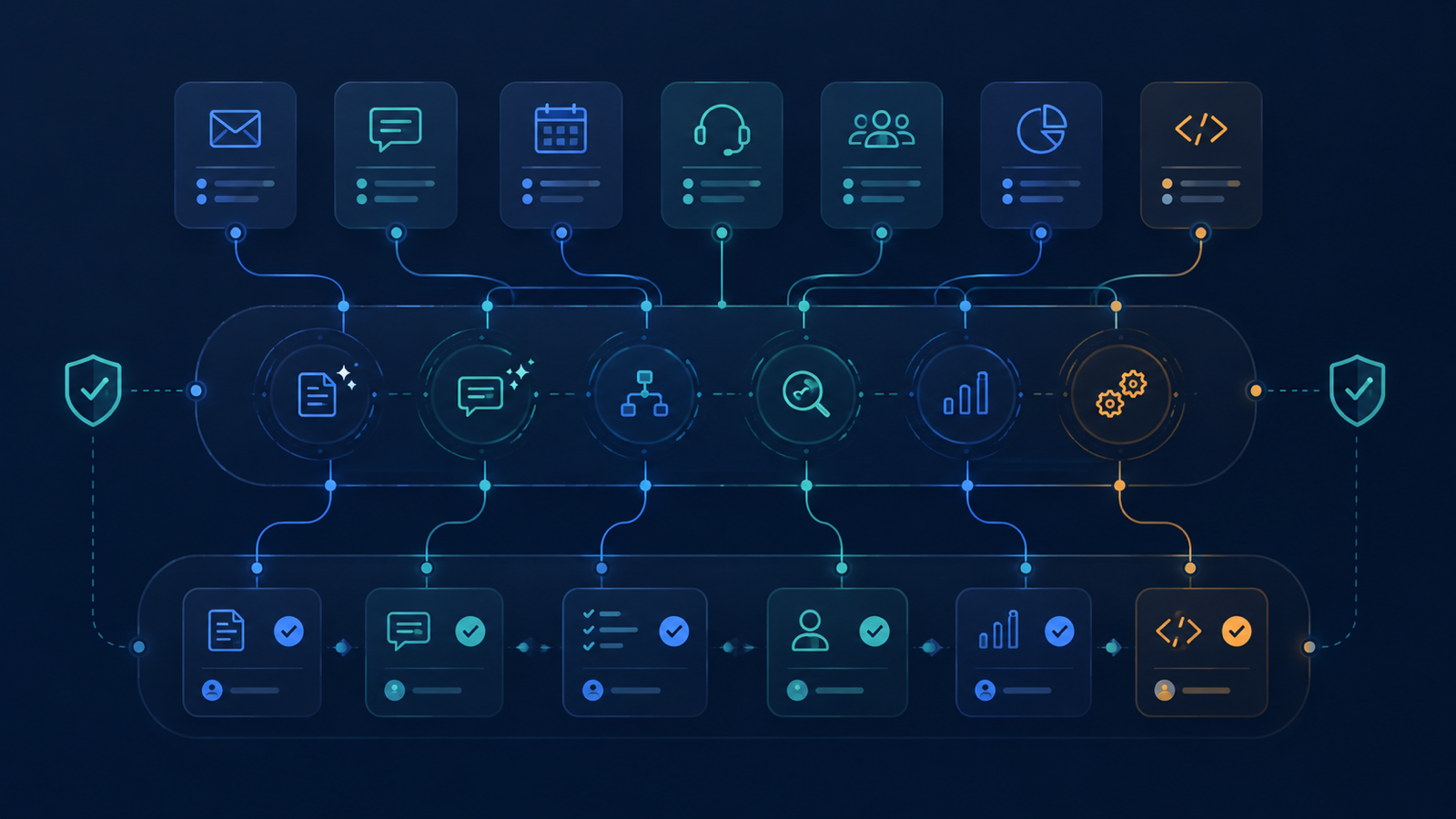
For small teams, the best AI tools in 2026 are tools that reduce repeated work without creating new review, privacy, or integration problems. A good shortlist includes ChatGPT Team, Claude Team, Gemini for Google Workspace, Microsoft 365 Copilot, Notion AI, Fireflies, Otter, Fathom, Zapier, Make, n8n, HubSpot AI, Intercom, Zendesk AI, Cursor, and GitHub Copilot.
But the right choice depends less on benchmark scores and more on your operating system:
- If your team lives in Google Workspace, start with Gemini plus one automation tool.
- If your team lives in Microsoft 365, evaluate Copilot and Power Automate before adding more platforms.
- If your team needs strong writing, research, analysis, and flexible reasoning, compare ChatGPT Team and Claude Team.
- If your team has many app-to-app handoffs, prioritize Zapier, Make, or n8n.
- If your team has support volume, start with an AI support assistant before buying several generic tools.
The mistake is buying five separate AI subscriptions before defining the workflows they are supposed to improve.
Why small teams need a different AI stack
Large companies can afford pilots, committees, and custom integrations. Small teams usually cannot. A small agency, IT operator, SaaS team, or local business needs AI tools that save time this week, not a year-long transformation program.
That changes the selection criteria. The best AI tool for a small team should pass five tests:
- Workflow fit: Does it improve a real process the team already repeats?
- Reviewability: Can a human quickly check the output before it reaches a client or customer?
- Integration: Does it connect to the apps where the work already happens?
- Permission control: Can you prevent private or client-sensitive data from leaking into the wrong place?
- Cost discipline: Does the time saved justify another monthly subscription?
For small teams, AI should feel like an operational layer, not a novelty drawer.
Quick comparison table
| Tool category | Example tools | Best for | Watch-outs | Good first workflow |
|---|---|---|---|---|
| General AI assistants | ChatGPT Team, Claude Team, Gemini, Microsoft 365 Copilot | Writing, analysis, planning, research support, internal docs | Data handling, inconsistent outputs, too many unsaved chats | Draft SOPs, summarize docs, prepare client briefs |
| Meeting AI | Fireflies, Otter, Fathom, built-in suite assistants | Notes, action items, call summaries, follow-up | Consent rules, transcript accuracy, sensitive calls | Convert meetings into tasks and follow-up emails |
| Automation platforms | Zapier, Make, n8n, Power Automate | App handoffs, notifications, CRM updates, task routing | Broken automations, weak error handling, messy ownership | Lead form to CRM to Slack/email alert |
| Knowledge/workspace AI | Notion AI, Google Workspace Gemini, Microsoft Copilot | Internal knowledge, docs, project context, team search | Poor source organization reduces answer quality | Turn scattered docs into reusable checklists |
| Support AI | Intercom, Zendesk AI, Help Scout AI, Freshdesk AI | Customer support, help center answers, ticket triage | Wrong answers to customers, escalation gaps | Draft support replies from approved articles |
| Sales/CRM AI | HubSpot AI, Salesforce AI, Pipedrive AI features | Follow-up emails, lead notes, CRM hygiene | Generic outreach, inaccurate lead scoring | Summarize calls and suggest next steps |
| Coding AI | Cursor, GitHub Copilot, ChatGPT, Claude, Gemini | Code suggestions, review, docs, test scaffolding | Security bugs, hallucinated APIs, over-trusting diffs | Generate tests and explain unfamiliar code |
| Marketing AI | Canva AI, Adobe tools, Jasper, Copy.ai, social scheduling assistants | Creative drafts, repurposing, campaign variants | Generic output, brand drift, image repetition | Repurpose one article into email and social drafts |
1. General AI assistants: the core layer
A small team usually needs one primary general assistant. This is the tool people use for drafts, explanations, checklists, analysis, brainstorming, and turning rough notes into usable work.
ChatGPT Team
ChatGPT Team is a strong default for teams that need a flexible assistant across writing, planning, analysis, and workflow design. It works well for turning messy context into structured output: SOPs, article outlines, support macros, sales follow-ups, code explanations, and internal checklists.
Use it for:
- Drafting client emails and proposals.
- Turning meeting notes into action plans.
- Creating SOPs for repeatable operations.
- Reviewing spreadsheets or exported reports.
- Building first drafts of automation logic.
Best fit: agencies, operators, content teams, and technical teams that need a broad assistant rather than a single-purpose tool.
Claude Team
Claude is especially useful for long-form reasoning, careful writing, policy-style documents, and reviewing longer context. Small teams often use it for strategy memos, documentation, internal knowledge cleanup, and content editing.
Use it for:
- Long document review.
- Detailed content editing.
- Internal process documentation.
- Policy, risk, and quality checks.
Best fit: teams that value writing quality, longer context review, and careful analysis.
Gemini for Google Workspace
If your team already lives in Gmail, Google Docs, Sheets, Drive, and Meet, Gemini may be the lowest-friction option. The main advantage is not that it replaces every other tool, but that it sits close to everyday documents and communication.
Use it for:
- Drafting and summarizing emails.
- Working inside Docs and Sheets.
- Summarizing meetings and Drive content.
- Creating internal documentation from existing files.
Best fit: Google Workspace-heavy teams that want AI embedded into the tools they already use.
Microsoft 365 Copilot
Microsoft 365 Copilot is the natural first evaluation for teams built around Outlook, Teams, Word, Excel, SharePoint, and OneDrive. It can reduce switching between apps when the team already has structured Microsoft data.
Use it for:
- Summarizing Teams meetings and email threads.
- Drafting Word documents and PowerPoint outlines.
- Working with Excel analysis prompts.
- Searching and summarizing internal Microsoft content.
Best fit: Microsoft-first companies, IT operators, professional services teams, and organizations with existing Microsoft governance.
2. Meeting AI: turn conversations into execution
Meetings are one of the easiest places for small teams to gain immediate AI value. The goal is not just transcription. The goal is to turn conversations into decisions, owners, deadlines, and follow-up.
Good meeting AI tools include Fireflies, Otter, Fathom, and built-in meeting assistants from Google or Microsoft. The best choice depends on your meeting platform and privacy requirements.
Look for:
- Clear summaries.
- Action items with owners.
- Searchable transcripts.
- CRM or project management integrations.
- Controls for recording consent and sensitive calls.
A simple first workflow: after every client meeting, generate a summary, extract action items, draft a follow-up email, and create tasks in your project tool.
3. Automation tools: where AI becomes repeatable
AI becomes much more valuable when it is connected to repeatable workflows. That is where automation platforms matter.
Zapier, Make, n8n, and Power Automate all help teams connect apps. The right one depends on technical comfort, required integrations, budget, and control needs.
- Zapier is usually the simplest for non-technical teams and broad SaaS integrations.
- Make is strong for visual multi-step workflows and operations teams that need more control.
- n8n is appealing for technical teams that want self-hosting or deeper customization.
- Power Automate is often the natural option for Microsoft-heavy teams.
For a deeper comparison, see FoxDooTech’s guide: Zapier vs Make vs n8n in 2026.
Start with one automation that removes a weekly annoyance, such as:
- New lead form → CRM contact → Slack alert → follow-up task.
- Support ticket tagged “billing” → internal notification → draft response.
- Meeting summary → task list → project board update.
- New invoice paid → onboarding checklist created.
Do not automate unclear processes. First clarify the workflow, then automate it.
If your team is comparing automation platforms as part of the stack, use the existing Zapier vs Make vs n8n comparison to decide whether you need fast SaaS templates, flexible visual workflows, or self-hosted control. For inbox-heavy teams, the AI email assistants guide is a better next step than adding another general chatbot.
4. Knowledge tools: make team context usable
Many small teams have knowledge scattered across Google Docs, Notion pages, Slack threads, PDFs, proposals, tickets, and old emails. AI can help, but only if the underlying content is organized enough to retrieve.
Notion AI, Gemini in Google Workspace, Microsoft Copilot, and other workspace assistants can help teams summarize, rewrite, and search internal information.
The best first knowledge project is not “build a company brain.” It is smaller:
- Create a client onboarding checklist.
- Build a support FAQ from repeated tickets.
- Turn sales questions into approved answer snippets.
- Summarize project retrospectives into lessons learned.
- Convert internal docs into role-specific SOPs.
Small teams should avoid dumping everything into an AI tool without permissions and source hygiene. Bad knowledge organization creates confident but unreliable answers.
5. Support and customer communication tools
If your team handles repeated customer questions, support AI can save real time. Tools like Intercom, Zendesk AI, Help Scout AI, and Freshdesk AI can help draft replies, suggest help center articles, route tickets, and summarize customer history.
The key is to separate internal drafting from customer-facing automation.
A safe rollout path:
- Use AI to draft replies for humans to review.
- Build or clean up help center articles.
- Create escalation rules for sensitive issues.
- Track deflection rate, customer satisfaction, and correction rate.
- Only then consider more automated customer-facing responses.
For more detail, see: Best AI Customer Support Tools for Small Teams in 2026.
6. Sales, CRM, and follow-up AI
Small teams often lose revenue because follow-up is inconsistent. AI can help summarize calls, draft next-step emails, update CRM records, and remind team members when a lead goes cold.
HubSpot AI and other CRM assistants are useful when the CRM is already the system of record. If the CRM is messy, AI will not magically fix the process. It may just create more polished chaos.
Good first workflows:
- Turn a sales call transcript into a clean CRM note.
- Draft a follow-up email based on the prospect’s actual objections.
- Create a next-step task after every qualified call.
- Summarize lost deals monthly and identify repeated objections.
The principle is simple: AI should make follow-up more consistent, not more spammy.
7. Coding and technical operations AI
For technical operators, AI coding tools can accelerate documentation, tests, scripts, and code review. Cursor, GitHub Copilot, ChatGPT, Claude, and Gemini can all help, but they need guardrails.
Use AI coding assistants for:
- Explaining unfamiliar code.
- Drafting tests.
- Writing small scripts.
- Creating documentation.
- Reviewing diffs for obvious issues.
- Generating migration checklists.
Avoid using AI-generated code without review, especially for authentication, payments, permissions, data deletion, security-sensitive scripts, or infrastructure changes.
For teams comparing assistant models for development work, see: ChatGPT vs Claude vs Gemini for Coding.
8. Email, inbox, and scheduling assistants
Email is still where many small teams leak time. AI email assistants can draft replies, summarize threads, categorize messages, and help maintain inbox discipline.
The strongest use cases are not flashy. They are practical:
- Summarize long threads.
- Draft polite replies from bullet points.
- Extract commitments and deadlines.
- Create follow-up reminders.
- Turn customer requests into tasks.
For a focused guide, see: Best AI Email Assistants for Inbox Zero in 2026.
9. Marketing and content AI
Marketing AI tools can help small teams repurpose content, draft campaigns, create visuals, generate outlines, and test messaging. But this category also creates the most generic output when teams rely on prompts instead of strategy.
Use AI for:
- Repurposing one blog post into email, LinkedIn, and short-form scripts.
- Creating first-draft campaign angles.
- Summarizing customer interviews.
- Drafting content briefs.
- Generating image concepts, not blindly publishing generated assets.
For social workflows, see: Best AI Social Media Scheduling Tools in 2026.
The practical rule: AI can speed up production, but your positioning, examples, and point of view still need to come from the business.
How to choose your first AI stack
Use this decision path before buying more subscriptions.
Step 1: Pick one primary workspace assistant
Choose based on your existing environment:
- Google-heavy team → evaluate Gemini.
- Microsoft-heavy team → evaluate Copilot.
- Mixed tools or broad use cases → compare ChatGPT Team and Claude Team.
Do not make every team member manage four separate general assistants at the beginning.
Step 2: Choose one measurable workflow
Pick a workflow with clear before-and-after measurement. Examples:
- Client meeting follow-up time.
- Support first response time.
- Weekly reporting effort.
- Lead response speed.
- Content repurposing time.
- Internal SOP creation time.
If you cannot measure it, you cannot tell whether the tool helped.
Step 3: Add automation only after the process is clear
A broken manual process becomes a faster broken process when automated. Write the workflow in plain English first:
- Trigger.
- Inputs.
- AI step.
- Human review step.
- Output.
- Error handling.
- Owner.
Then build it in Zapier, Make, n8n, Power Automate, or your existing platform.
Step 4: Set data and review rules
Small teams need lightweight governance. At minimum, define:
- What data can be pasted into AI tools.
- Which outputs require human review.
- Who owns each automation.
- How prompts and workflows are documented.
- What happens when an automation fails.
This does not need to be bureaucratic. A one-page AI usage policy is better than no policy at all.
Recommended starter stacks by team type
Small agency
- General assistant: ChatGPT Team or Claude Team.
- Meetings: Fathom, Fireflies, or Otter.
- Automation: Zapier or Make.
- Knowledge: Notion AI or Google Workspace Gemini.
- Marketing: Canva AI plus a social scheduling workflow.
Best first project: client meeting → summary → tasks → follow-up email → project board update.
Technical operator or MSP-style team
- General assistant: ChatGPT Team, Claude Team, or Microsoft Copilot.
- Coding/ops: Cursor or GitHub Copilot.
- Automation: n8n, Make, Power Automate, or Zapier depending on stack.
- Knowledge: SharePoint, Notion, or Google Drive with strict source organization.
- Support: Zendesk, Intercom, Help Scout, or Freshdesk AI if ticket volume justifies it.
Best first project: recurring ticket pattern → approved troubleshooting checklist → draft response → escalation rule.
Creator or marketing team
- General assistant: ChatGPT Team or Claude Team.
- Content workspace: Notion AI or Google Docs with Gemini.
- Design: Canva AI or Adobe tools.
- Scheduling: AI-assisted social scheduling tool.
- Automation: Zapier or Make.
Best first project: one long-form article → newsletter draft → social posts → short video outline → publishing checklist.
Local service business
- General assistant: ChatGPT Team, Gemini, or Copilot.
- Meetings/calls: a call summary or transcription tool.
- CRM: HubSpot, Pipedrive, or existing booking software with AI features.
- Automation: Zapier or Make.
- Support: simple help desk AI only when repeated questions justify it.
Best first project: new inquiry → qualification questions → CRM entry → follow-up reminder.
Common mistakes to avoid
Buying tools before naming workflows
“Use AI more” is not an implementation plan. Define the workflow first.
Letting every tool become a separate silo
If prompts, notes, files, and automations live in disconnected places, AI creates more fragmentation. Decide where final outputs belong.
Skipping human review
AI can draft, summarize, classify, and suggest. It should not silently send sensitive customer communication or make high-impact decisions without review.
Ignoring permissions
A tool that can search documents is only useful if document permissions are clean. Otherwise, people may see information they should not see.
Measuring novelty instead of business impact
The useful metrics are time saved, response speed, error reduction, customer satisfaction, content throughput, and fewer dropped handoffs.
A 30-day rollout plan for a small team
Week 1: Audit and select
- List the top 10 repeated tasks.
- Pick three workflows with measurable time waste.
- Choose one primary assistant and one workflow category.
- Define data rules and review rules.
Week 2: Pilot one workflow
- Build prompts or templates.
- Test with real but low-risk examples.
- Compare AI-assisted work against manual work.
- Document what must be reviewed.
Week 3: Automate the handoff
- Add one automation trigger.
- Route outputs to the correct place.
- Add failure notifications.
- Assign a human owner.
Week 4: Measure and expand
- Measure time saved and quality issues.
- Keep, revise, or remove the workflow.
- Train the team on the winning pattern.
- Choose the next workflow only after the first one is stable.
FAQ
What is the best first AI tool for a small team?
The best first AI tool for a small team is usually the one that improves an existing workflow without forcing the team to change every system at once. For many teams, that means a workspace assistant, meeting notes assistant, email assistant, or automation platform connected to tools they already use.
How many AI tools should a small team use?
A small team should start with a narrow stack: one general assistant, one collaboration or knowledge tool, and one automation platform. Add more tools only when there is a clear workflow owner, a measurable benefit, and a review process for AI-generated output.
What is the safest way to roll out AI workflow automation?
The safest rollout starts with low-risk, reversible workflows: draft replies, summarize meetings, classify tickets, prepare reports, or generate checklists. Keep a human approval step before customer-facing messages, financial actions, legal content, or sensitive operational changes.
What is the best AI tool for a small business in 2026?
The best AI tool for a small business is usually the one that fits the tools the business already uses. Google Workspace teams should evaluate Gemini, Microsoft 365 teams should evaluate Copilot, and mixed-tool teams should compare ChatGPT Team and Claude Team. For many small teams, the best result comes from pairing one general assistant with one automation platform.
Should a small team use ChatGPT, Claude, Gemini, or Copilot?
Use ChatGPT or Claude when you need a flexible assistant for writing, reasoning, planning, and workflow design. Use Gemini when your work lives mainly in Google Workspace. Use Copilot when your team runs on Microsoft 365. The best choice is the one closest to your documents, email, meetings, and governance needs.
Are AI tools safe for client data?
They can be, but only with clear rules. Small teams should define what data can be shared, which tools are approved, who reviews outputs, and where final records are stored. Sensitive client data, credentials, private health information, financial records, and legal details need stricter handling.
What AI workflow should a small team automate first?
Start with a workflow that is frequent, low-risk, and easy to review. Good first candidates include meeting follow-up, support reply drafting, lead intake, invoice reminders, content repurposing, and weekly reporting.
How many AI tools does a small team need?
Most small teams should start with three to five tools: one general assistant, one meeting or communication assistant, one automation platform, one knowledge/workspace assistant, and one role-specific tool. Adding more tools before workflows are stable usually creates confusion.
Is self-hosted AI worth it for small teams?
Self-hosted AI can make sense for teams with strong privacy, compliance, or technical control requirements. But it adds operational complexity. Most small teams should start with governed SaaS tools unless they have a clear reason to self-host. For a deeper checklist, see: Self-Hosted LLM for Small Business.
Related reading
- Zapier vs Make vs n8n in 2026
- Best AI Email Assistants for Inbox Zero in 2026
- Best AI Customer Support Tools for Small Teams in 2026
- ChatGPT vs Claude vs Gemini for Coding
- Best AI Social Media Scheduling Tools in 2026
- Self-Hosted LLM for Small Business
CTA
Need a practical AI stack that your team can actually use? Start with one workflow, one owner, and one measurable result. FoxDoo Technology publishes practical AI tools and automation workflow guides for small teams, agencies, and technical operators — powered by FoxDoo IT Solutions.